
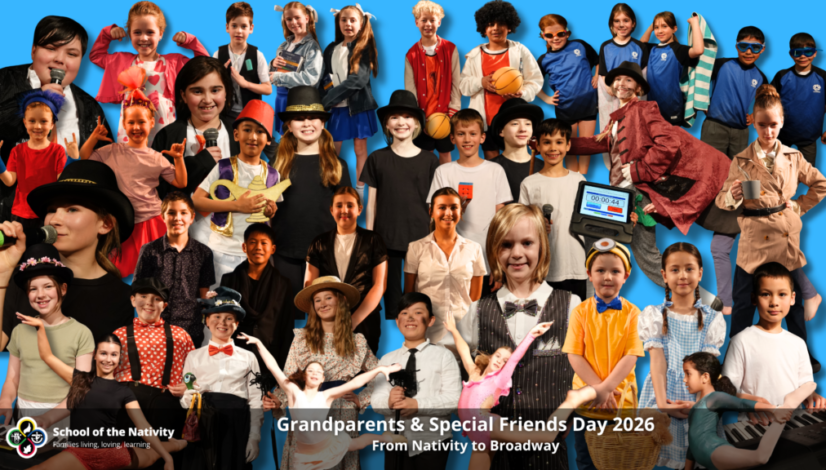
Grandparents and Special Friends Day 2026
School of the Nativity is delighted to share our annual Grandparents and Special Friends Day performance, recorded on Friday, 25th September 2026.
Two spectacular performances were held across the day, drawing an enthusiastic audience of approximately 540 guests. The event was a wonderful celebration of creativity, talent, and community spirit.
Throughout Term 3, our incredible students poured their hearts into learning their lines, perfecting their songs, and nailing their choreography. Their dedication and energy were truly on display for all to see. We are deeply grateful to the many staff members whose tireless support, both behind the scenes and on the day, helped bring this event to life.
We would like to recognise the following people for their outstanding contributions:
Hosts: Mila, Alia, Kenji and Connor
Prayer: Lily B, Evelyn, Monica, Harrison, Brodie, Marnie, Griffin, Leo, Zac, Max, Hazel, Zora, Hunter, Jason, Eli, Mackenzie and Chloe
Tech Box (Sound / Video / Images): Scott Baldock
Lighting: Amaya and Edward
Stage Manager: Rachel Baulderstone
Stage Crew: Emily, Amelia, Lily, Sophie, Tanya and Quinn
Back Stage Managers: Ally Cunningham, Melinda James and Erika Dixon
Front Stage Manager: Alicia Symonds
Choreography: Marissa Ritorto (Rec O, Rec M, Year 1/2 W, Year 1/2 J and Year 5/6 BD), Leonie Ruddock and Esme (Year 3/4 RB), Katie Colbert (Year 3/4 C), Emma Harrison and Owen Gray (Year 5/6 HB)
Finale / Advanced Lighting and Tech: Ally Cunningham
Coordinator: Scott Baldock
Costumes and Props: Ari Torresan, Marissa Ritorto, Rachel Baulderstone, Bianca Cotton and many other wonderful parent helpers
Hair and Make-up: Ari Torresan, Marissa Ritorto, Bianca Cotton, Alicia Symonds and Sienna Kelley
Video and Photography: Scott Baldock
Program Cover: Isak – Year 6
A heartfelt thank you to all Nativity staff for their hard work throughout the term in preparation for today’s performances, and to our parents and the wider Nativity community for their continued support of our Grandparents and Special Friends Day tradition.
We hope you enjoy the recording, and we encourage you to share it with family and friends far and wide!
Accessing the 2026 Grandparents & Special Friends Showcase on Vimeo
We are delighted to share that all performances from our 2026 Grandparents & Special Friends Showcase are available to watch online through our School of the Nativity Vimeo channel.
Step 1: Download the Vimeo App
For the best viewing experience, download the free Vimeo app:
- iPhone/iPad: Search for “Vimeo” in the App Store.
- Android phones and tablets: Search for “Vimeo” in the Google Play Store.
Once installed, open the Vimeo app and sign in if desired (a Vimeo account is not required for viewing our public showcase).
Step 2: Visit the School of the Nativity Vimeo Channel
In the Vimeo app or your web browser, search for School of the Nativity, or visit our channel directly:
School of the Nativity Vimeo Channel
Step 3: Open the 2026 Grandparents & Special Friends Showcase
On our Vimeo channel, select the 2026 Grandparents & Special Friends Showcase collection, or access it directly using the link below:
2026 Grandparents & Special Friends Showcase
This showcase contains all available videos and performances from the event. Simply select any video to begin watching.
Watching on Your Television
Option 1: Cast from Your Phone or Tablet
Many Smart TVs support Apple AirPlay or Google Cast (Chromecast).
- Open the Vimeo app on your phone or tablet.
- Select the performance you wish to watch.
- Tap the AirPlay or Cast icon.
- Choose your television from the list of available devices.
- The video will begin playing on your TV.
Option 2: Cast from a Computer
- Open the showcase in a web browser on your computer.
- If using Google Chrome or Microsoft Edge, select the browser’s Cast option.
- Choose your Smart TV or Chromecast device.
- Play the video to enjoy it on the big screen.
Option 3: Connect with an HDMI Cable
- Open the showcase on a laptop or computer.
- Connect your device to your television using an HDMI cable.
- Select the correct HDMI input on your TV.
- Play the desired video.